




For parents, tutors and students

Turn any schoolbook into lessons and quizzes

Snap a workbook page or upload the PDF. One-click Teaching organizes it into topics, writes a quiz and has a friendly character explain it out loud, so you know what they have really learned.

20 free tokens · No card needed

In short

What is One‑click Teaching?

One-click Teaching is an AI study tool for parents, tutors and students. You add the material a learner already uses (workbook pages, PDFs, notes, photos or videos) and it turns that material into organized topics, practice tests and audio or video explainers. Each learner gets a private space, tests open from a link with no account, and you keep track of what they have mastered.

Made for whoever sits next to the learner

Same tool, three ways in. Pick yours.

  • Parents

    A space for each child, built from their own schoolbooks. Help with homework without re-learning the whole book yourself.

    How it works for parents
  • Tutors and coaches

    A space for each student or one for the whole group. Sessions, tests and follow-up ready in minutes.

    How it works for tutors
  • Students

    Turn your notes, slides and readings into explanations and practice tests before the exam.

    How it works for students

How it works

From a workbook page to a quiz any kid or student can take, in four steps.

  1. Add the material

    Upload a PDF, snap photos of workbook pages, add a document or a web page, or write it yourself. It goes into your private repository.

  2. Get it organized

    One-click Teaching reads everything and builds a knowledge base: the topics of the course in order, with notes and suggestions you can edit.

  3. Create tests and explainers

    Pick the topics for this week. Get a test with multiple choice, true/false or open questions, or a character who explains them out loud.

  4. Share and follow up

    Send a link the learner opens with no login, or print the test. Mark what they have mastered as you go.

How a course comes togetherRobi · 0:48
Read the transcript

Hi, I'm Robi! A course takes four steps, in this order.

One: the repository. Upload documents, PDFs, web pages, images or videos, or write it yourself. It stays private.

Two: the knowledge base. One tap turns all of it into topics, in the order they're learned. You review it before saving.

Three: explainers. Pick a character, like me, to tell each topic in audio or video.

Four: tests. Make one on any topic, then open Tracking to see how each learner did.

Did the work? Share a copy with another parent or coach, and earn tokens when they use it.

Let's start: open the repository.

Try a sample quiz

This is what a learner sees, whether they are 8 or 20: one question at a time, big buttons, and an explanation after every answer.

Sample quizFractions · 3rd grade

In the fraction ¾, what does the 4 tell you?

Or let a character explain it

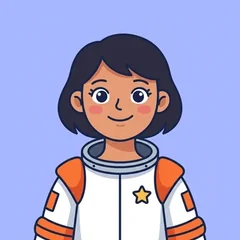
Sol, the astronaut

0:00 / 0:10

Imagine a pizza cut into four equal slices.

Each slice is one quarter. We write it 1/4.

Eat three slices and you have eaten 3/4 of the pizza!

Then the learner can ask, by typing or speaking:

Why do the slices have to be the same size?

Sol answers:

Great question! A fraction only works when every part is the same size. If one slice were bigger, “one quarter” wouldn’t tell you how much pizza you get.

Everything a course needs, in one place

Each course has its own repository, knowledge base, tests, explainers and follow-up.

  • Add

    A private repository

    PDFs, photos of workbook pages, documents, web pages and videos, or content you write with the AI-assisted helper. Only you can open it.

  • Organize

    A knowledge base that stays tidy

    Your material becomes topics in order, with versions, notes and suggestions to improve it. Edit anything.

  • Test

    Tests in seconds

    Multiple choice, true/false and open questions from the topics you pick. Print them or share a link, and set tries, a time limit and whether answers are shown.

  • Explain

    Explainers in audio or video

    Ten characters, from a teacher to an astronaut, a robot or an owl, explain topics out loud in English, Spanish or Portuguese. Learners can ask them questions.

  • Spaces

    A space for each learner

    Each learner has their own space, courses and pace, whether it is your child, your student or you. Teaching a group? Make one space for the whole group.

  • Share

    Share with other parents

    Send another parent or teacher a copy of a course or a test. They get their own copy to edit, never your files or your learners’ data.

New: Calendar

Every test, practice and break on one calendar

Know what’s coming for each learner, and get them ready for it in a couple of taps.

  • From a photo of the school noteSnap the note, the exam schedule or a planner page. The dates are found for you, and you check them before anything is added (2 tokens a photo).
  • Each date knows its courseA test shows its course and topics, so a practice test or an explainer on exactly that is one tap away.
  • One learner or all of themSee each space’s calendar, or every space together. Week, month or a list of the coming months, and print it for the fridge.
  • Free on every planAdding dates by hand, weekly classes and printing never use tokens. Tests taken in the app tick themselves off.

Why not just use ChatGPT?

General AI chat is great for questions, and practice apps are great for drills. Neither starts from the material a learner already uses, from a third-grade workbook to university notes.

One-click Teaching General AI chat Practice apps
Starts from the learner’s own books and notesYesOnly if you paste it each timeNo
Follows the book and pace of their classYesNoTheir own curriculum
Keeps each learner’s courses organizedYesNoYes
Tests taken without an accountYesNoNo
Explanations told out loud by a characterYesVoice mode, made for adultsSome
Screens made for kidsYesNoYes
Fully covered6/60/62/6

Typical use of each kind of tool, October 2026. A “~” means partly.

Everything you upload stays private

The repository is yours alone. You only share what you create from it, and only when you choose to.

  • Only you, and the team members you invite, can open your repository and knowledge base.
  • Learners open tests and explainers from a link: no account, no email.
  • A shared copy carries topics, tests and explainers, never your files, notes or learners.
  • When you delete content, its files are deleted too.

Start free, pay for what the AI does

Every account starts on the free plan. Tokens pay for AI work: a test costs 3, reading a PDF page costs 1.

  • Free

    $0

    1 learner, 3 courses and 20 tokens to start

    Free
  • Token packs

    from $13

    Pay once, no subscription, tokens never expire

    Token packs
  • Plans

    from $10/month

    Tokens every month and room for more learners

    Plans

Frequently asked questions

What is One-click Teaching?

One-click Teaching is an AI study tool that turns the material a learner already uses (workbook pages, PDFs, notes or videos) into organized topics, practice tests and audio or video explainers, with a private space for each learner.

Can I keep track of tests and school dates?

Yes. Each space has a calendar for tests, practices, classes and breaks, and you can see every space together. Add dates by hand for free, or take a photo of the school note and check the dates found before they are added (2 tokens a photo). Each test can be linked to its course and topics, so a practice test or explainer on exactly that is one tap away.

Is One-click Teaching free?

Yes. The free plan includes one teaching space, three courses, one learner and 20 tokens to try the AI. When you need more, buy a token pack with no subscription or choose a monthly plan.

What material can I upload?

PDFs, photos of workbook or textbook pages, documents, web pages and videos. You can also write content yourself, or let the AI-assisted helper draft it after asking you a few questions.

Which ages and subjects does it work for?

Any subject and any grade, from primary school to university, because everything is built from the material you add rather than from a fixed curriculum.

Does the learner need an account or an email?

No. Learners open tests and explainers from a link without logging in, on a tablet, computer or phone. You can also print a test as a PDF.

Is learners’ information private?

Yes. Your repository and knowledge base are visible only to you and the team members you invite. Copies you share with other adults never include your files, notes or learners.

What are tokens?

Tokens pay for AI work. Reading a PDF costs 1 token per page, writing a test costs 3, and an audio explainer costs 4 to 10 depending on its length. If you run out, the app keeps working; only AI actions wait until you add tokens.

Does it work in Spanish?

Yes. The app is available in English and Spanish, and explainers can be made in English, Spanish or Portuguese.

Tonight’s homework, ready in one click

Upload one page and see the quiz it becomes.

Try it free

20 free tokens · No card needed